
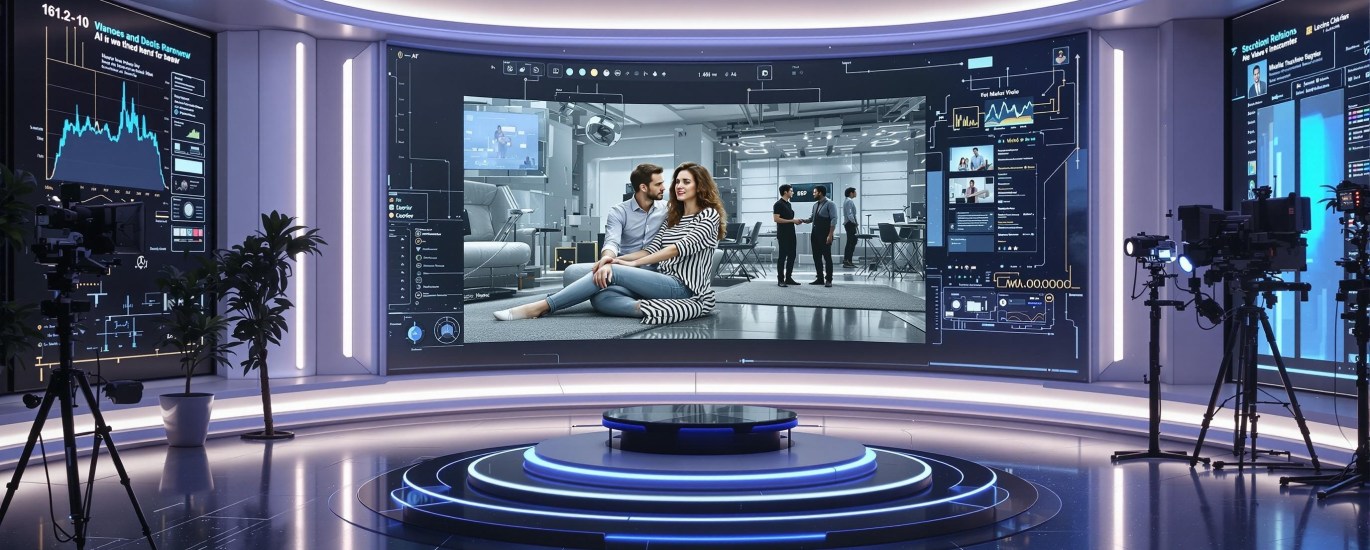
AI video background removal technology has revolutionized the video editing landscape, eliminating the need for green screens and complex manual masking. This breakthrough technology is making sophisticated video editing accessible to content creators, businesses, and media professionals of all skill levels, transforming how video production is approached in today’s digital world.
In this comprehensive guide, we’ll explore how AI video background removal works, examine the technical foundations powering this technology, review top tools available today, and share advanced techniques to integrate background removal into your video editing workflow.
Understanding AI Video Background Removal Technology
AI video background removal is a powerful process that automatically separates the foreground subject from its background in video footage without requiring uniform background colors like traditional chroma keying. This technology represents a significant advancement in video retouching capabilities.
The core concept behind AI video background removal relies on teaching computer vision systems to distinguish between the main subject and everything else in the frame. Machine learning background removal differs from traditional methods by leveraging neural networks trained on thousands of images to recognize patterns, shapes, and contextual information.
Key components of this technology include:
- Image segmentation: The process of dividing each video frame into sections that represent different objects or regions.
- Foreground extraction: Isolating the main subject by creating a precise mask around it.
- Computer vision technology: The AI systems that enable machines to “see” and understand visual data similar to human perception.
According to Mordor Intelligence, the video editing software market is expected to grow at a CAGR of 6.6% from 2023-2028, with AI-powered features like background removal driving significant adoption. The evolution of background removal algorithms in video processing has progressed from simple contrast detection to sophisticated systems that handle complex scenarios including fine hair details and challenging lighting conditions.
The Technical Foundation of AI Background Removal
Modern AI video background removal is powered by sophisticated deep learning video editing architectures. These systems typically employ convolutional neural networks (CNNs) that analyze spatial information across frames, and sometimes recurrent neural networks (RNNs) that track temporal changes throughout the video sequence.
Image recognition algorithms form the backbone of these systems, enabling the AI to identify human figures, objects, and other elements within each frame. These algorithms are trained to recognize features like faces, body shapes, and common objects, allowing them to make intelligent decisions about what constitutes foreground versus background.
Neural networks play a crucial role in understanding video content context. They process multi-layered information, including:
- Object boundaries and contours
- Color and texture patterns
- Motion consistency between frames
- Depth estimation (in more advanced systems)
Video processing algorithms then apply this understanding to perform frame-by-frame analysis, ensuring that the background removal remains consistent throughout the video. This prevents flickering or inconsistent masking that would make the final result look unprofessional.
As Plain Concepts explains in their research on AI video technology, these sophisticated algorithms represent a fundamental shift in how video manipulation is approached, moving from manual to automated, intelligence-driven processes.

Top AI Video Background Removal Tools in 2023
The market for AI-powered video editing platforms focusing on background removal has expanded rapidly. Here’s a comparison of some leading background removal software options:
Canva Video Background Remover: An accessible option integrated into Canva’s broader design platform. It offers one-click background removal with options to replace backgrounds with solid colors, images, or videos. The tool is particularly popular for social media content creators seeking simplicity without sacrificing quality.
Runway ML: A professional-grade AI video processing tool that offers advanced background removal capabilities. It excels at handling complex scenes and integrates well with professional video production software. Runway’s strength lies in its precision and the quality of edge detection, especially around difficult areas like hair.
Unscreen: A specialized tool focused exclusively on background removal that processes videos entirely in the cloud. It offers batch processing capabilities and API access for developers looking to integrate background removal into custom applications.
Wondershare Filmora: A comprehensive video editing software that incorporates AI background removal as part of its feature set. This makes it ideal for users who need background removal as part of a broader video editing workflow.
Pricing structures vary widely across these platforms, from freemium models with limited processing time to subscription-based services offering unlimited usage. Integration capabilities with existing video production software are increasingly important, with many tools offering plugins for Adobe Premiere Pro, Final Cut Pro, and other popular editing suites.
According to AZ Big Media, these tools are fundamentally redefining visual content editing by making previously complex techniques accessible to creators of all skill levels.
Real-Time Background Removal: Technical Requirements
The advancement of real-time video editing with background removal introduces specific technical challenges and requirements:
Hardware specifications: For professional-quality real-time background removal, dedicated GPUs (graphics processing units) are essential. NVIDIA RTX series cards or equivalent AMD options provide the necessary computational power. For mobile applications, devices with dedicated neural processing units (NPUs) offer the best performance.
GPU acceleration is critical for real-time processing, as it allows parallel computation of the complex mathematical operations involved in deep learning video editing. Without GPU acceleration, most systems would experience significant lag or reduced quality when attempting real-time background removal.
Bandwidth and streaming considerations become important when using cloud-based services or for live applications. A minimum upload speed of 5-10 Mbps is typically required for stable performance in live streaming scenarios with background removal.
Challenges in real-time background removal include:
- Latency: The delay between capturing video and displaying the processed result
- Processing power limitations on consumer hardware
- Maintaining consistent quality across varying lighting conditions
- Handling rapid movements that can confuse segmentation algorithms
Solutions to these challenges often involve optimized algorithms, edge computing approaches, and intelligent pre-processing techniques that reduce the computational load while maintaining quality.
Advanced Video Editing Techniques Using AI
Background removal is just the beginning of what’s possible with AI video processing. Advanced creators are combining background removal with other powerful effects to create truly innovative content:
Combined effects: After removing backgrounds, AI can apply style transfer (making footage look like animation or painting), automatic color grading, or dynamic lighting effects that respond to the subject’s movement.
Scene detection algorithms work alongside background removal to identify transitions between different shots or scenes. This enables automated editing that can trim footage, apply appropriate effects based on content, and even generate highlight reels automatically.
Video compositing techniques enhanced by AI allow subjects filmed in different locations to appear as if they’re in the same scene. The technology intelligently matches lighting conditions, perspective, and scale to create convincing compositions.
Creating dynamic backgrounds becomes possible after removal, with options ranging from simple motion graphics to interactive environments that respond to the subject’s movements. Some advanced systems can even generate completely AI-created environments based on text prompts.
These video editing techniques are transforming what’s possible for creators without access to expensive studio setups. As Vertu notes in their analysis of upcoming trends, AI-driven video production is democratizing capabilities that were once exclusive to high-budget productions.
Workflow Integration Strategies
Incorporating AI video background removal into professional video editing pipelines requires thoughtful implementation. Here are effective strategies to maximize efficiency:
Automated video editing workflows can be built by connecting background removal tools with other processing steps through APIs or integration platforms. This allows for batch processing of multiple clips with consistent settings.
Pre-processing considerations include:
- Ensuring adequate lighting on the subject
- Maintaining reasonable distance between subject and background
- Using the highest quality source footage possible
- Stabilizing footage before processing
Post-processing considerations involve refining the output by manually adjusting masks where necessary, adding new backgrounds, and ensuring color matching between subject and new environment.
Quality control mechanisms should be implemented when using AI-driven video production tools. This may include automated checks for mask consistency, manual review of challenging sections, and comparison tools to verify final output against source material.
By establishing clear workflows and quality standards, professional content creators can leverage the speed and efficiency of AI background removal while maintaining high production values.
Industry Applications and Use Cases

Content Creation and Entertainment
The impact of AI video background removal on content creation has been transformative:
YouTube and social media content creators can now produce professional-looking videos without dedicated studios. This has led to higher production values across platforms and enabled creators to establish visual brand identities previously out of reach.
Virtual production techniques in filmmaking increasingly rely on background removal and replacement. This allows directors to visualize composite scenes in real-time during shooting, reducing post-production time and costs while improving creative decision-making.
Live streaming applications with virtual backgrounds have become standard for gamers, educators, and entertainers. AI-powered real-time background removal enables immersive experiences without specialized hardware beyond a decent webcam.
Business and Professional Applications
Corporate video production benefits significantly from AI background removal. Companies can maintain consistent branding across videos by using standardized virtual backgrounds, regardless of where executives or employees record their content.
Virtual meetings and presentations have adopted background removal as a standard feature. Professional environments can be simulated regardless of the actual recording location, maintaining a polished appearance for client interactions and internal communications.
E-learning and educational content development leverages background removal to create distraction-free instructional videos. Educators can place themselves against relevant visual aids, simulations, or infographics to enhance learning experiences.
Troubleshooting Common Background Removal Challenges
Even with advanced AI, certain scenarios present challenges for video background removal:
Complex backgrounds and similar colors: When the subject wears clothing with colors similar to the background, AI may struggle to differentiate edges. Solutions include adjusting lighting to create more contrast or using more sophisticated tools with manual refinement options.
Lighting and shadows: Inconsistent lighting or harsh shadows can confuse AI systems. Video quality improvement techniques such as pre-processing with lighting normalization or shadow removal algorithms can help mitigate these issues.
Fine hair and transparent objects: These remain challenging for all background removal tools. Higher resolution input footage, specialized “detail preservation” modes, and manual refinement of problem areas are typically required for best results.
Motion blur: Fast-moving subjects can create blur that’s difficult for AI to process accurately. Using footage shot at higher frame rates can reduce motion blur and improve removal quality.
As explained by Breeze Software in their tutorial on AI-based background removal, understanding these limitations helps users set appropriate expectations and implement workarounds for challenging scenarios.
Future Developments in AI Video Background Technology
The field of AI video background technology continues to evolve rapidly. Several emerging trends point to exciting developments on the horizon:
Video enhancement software is increasingly combining background removal with upscaling, noise reduction, and frame rate conversion. This holistic approach to video processing delivers comprehensive improvements rather than isolated effects.
Intelligent video editing systems are moving toward complete automation of the editing process. Future systems may analyze content, remove backgrounds, add appropriate new environments, and apply stylistic effects based on the intended emotional impact—all with minimal human intervention.
Integration with AR/VR technologies is creating new possibilities for immersive experiences. Background removal serves as a foundational technology for placing real people into virtual environments or augmenting reality with virtual elements that interact convincingly with human subjects.
Video reconstruction technologies are also advancing rapidly, allowing for the regeneration of missing or damaged parts of video footage after background removal. These AI-powered reconstruction techniques ensure seamless transitions between edited and original content.
Real-time video transformation capabilities continue to improve in both quality and processing efficiency. Technologies that currently require high-end hardware will become accessible on consumer devices, enabling sophisticated background effects in live video calls, streams, and recordings without specialized equipment.
Conclusion
AI video background removal represents one of the most practical and transformative applications of artificial intelligence in creative production. This technology has democratized sophisticated video editing capabilities that previously required specialized studios and technical expertise, making them accessible to everyone from solo content creators to enterprise video teams.
The combination of deep learning video editing, sophisticated image recognition algorithms, and increasingly powerful hardware has made real-time video editing with background manipulation accessible and affordable. Whether you’re creating social media content, enhancing professional presentations, or streamlining video production workflows, AI video background removal offers powerful solutions that continue to improve with each technological iteration.
As video retouching technology advances, we can expect even more impressive capabilities that further blur the line between what was filmed and what was digitally created. The future of video editing is increasingly intelligent, automated, and accessible—with AI video background removal leading the way.
Ready to explore AI-powered video tools? Check out the growing marketplace of AI tools on Jasify to find the right solution for your specific video editing needs and take your content creation to the next level.
Trending AI Listings on Jasify
- Short-Form Viral Clips (AI-Powered & Fully Edited) – Perfect for transforming your long-form video content into engaging clips with AI-powered editing that identifies the most compelling segments.
- Custom 24/7 AI Worker – Automate Your Business with a Personalized GPT System – Automate your video editing workflows and content repurposing with a custom AI system designed specifically for your production needs.
- Custom Logo Design Pack – 1 to 5 Concepts (Includes Brand Colors) – Create professional branding for your video content with custom logos that complement your visual style across platforms.
