
AI Image Upscaling: Transform Low-Resolution Photos into High-Quality Images with Advanced Upscaling Tools
The frustration of working with low-resolution images is something many photographers, designers, and content creators know all too well. Blurry photos, pixelated marketing materials, or low-quality images can significantly impact the professional appearance of your work. Fortunately, AI image upscaling technology has revolutionized how we enhance and transform these problematic visuals into crisp, detailed, high-resolution images.
Understanding AI Image Upscaling Technology
AI image upscaling uses sophisticated algorithms to enhance the resolution of digital images by intelligently predicting and adding missing pixels. Unlike traditional upscaling methods that simply stretch existing pixels (leading to pixelation and quality loss), AI upscaling analyzes the original image and generates new pixels that seamlessly fit into the visual context. NVIDIA explains that this process leverages deep learning algorithms and convolutional neural networks (CNNs) to analyze patterns in low-resolution images. These neural networks have been trained on millions of images, allowing them to recognize visual elements and intelligently enhance them while preserving the natural look of the original image.
The evolution from basic pixel interpolation to advanced AI-powered image enhancement represents a significant technological leap. Traditional methods like bicubic interpolation simply duplicate or average existing pixels, while AI upscaling tools can actually create new visual information based on learned patterns. This difference becomes immediately apparent when comparing upscaled images from both methods side by side (Boris FX).
It’s important to understand the distinction between related terms:
- Image upscaling: Increases the resolution and quality of an image
- Image enhancement: Improves the overall quality without necessarily changing the resolution
- Image enlargement: Simply increases the physical size and pixel count without necessarily improving quality
The Science Behind AI Image Upscaling
At the heart of modern AI image upscaling is Super Resolution technology, which uses machine learning to predict how a high-resolution version of a low-resolution image should look. This process ensures that important details are preserved while noise and artifacts are minimized (Upscale.media).
The role of machine learning in this process cannot be overstated. These systems are trained on vast datasets containing pairs of low and high-resolution images, enabling them to recognize patterns and understand how details should appear at higher resolutions. When analyzing an input image, the AI identifies edges, textures, and other visual elements, then enhances them while maintaining their natural appearance (Unimatrixz).
During the upscaling process, AI fills in missing pixels by examining surrounding areas and determining what would likely exist in between the original pixels. This intelligent interpolation creates a much more natural result than simply stretching the original image. Meanwhile, advanced noise reduction algorithms clean up artifacts and visual distortions.
The difference in pixel count between original images and upscaled outputs can be dramatic. For example, a 500×500 pixel image could be upscaled to 2000×2000 pixels, representing a 16x increase in total pixel count. The impressive part is that these new pixels aren’t just duplicates – they contain meaningful visual information generated by the AI.
Benefits of Using AI Image Upscaling Tools
The advantages of AI image upscaling extend far beyond simply increasing image size. Here are the key benefits:
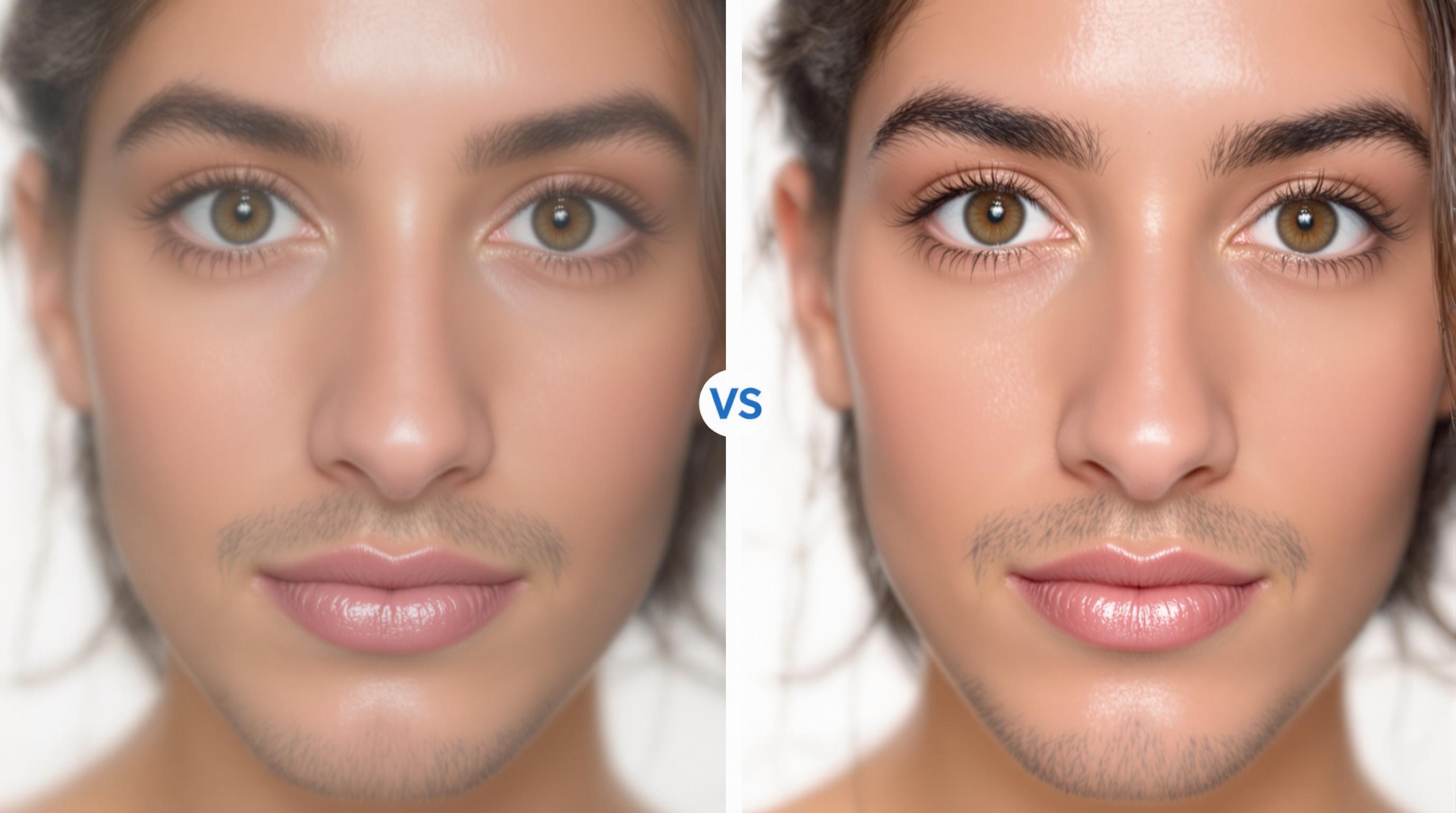
- Transform low-quality images into high-resolution masterpieces: Blurry photos or low-resolution images can be converted into sharp, detailed visuals suitable for professional use.
- Preserve and enhance fine details: AI upscaling can recover details that traditional methods cannot, making images sharper and more vibrant.
- Reduce noise and remove artifacts: The technology effectively cleans up visual noise and removes unwanted artifacts, resulting in cleaner, more professional images.
- Maintain color accuracy: Unlike some enhancement methods that distort colors, AI upscaling preserves the original color palette while improving clarity.
- Add realistic details: The AI can intelligently add texture and details that look natural rather than artificial.
These capabilities make AI image upscaling particularly valuable for working with historical photos, compressed web images, or pictures taken with a low-quality camera. The technology helps breathe new life into images that might otherwise be unusable for professional purposes (OneStream).
Top AI Image Upscaling Tools in 2023
Online Image Upscalers
For users seeking convenience and simplicity, online image upscaling tools provide accessible solutions without requiring technical skills or software installation:
- TensorPix: Offers automated solutions for both video and image enhancement with an intuitive user interface. TensorPix provides both free and premium tiers (TensorPix).
- Upscale.media: A popular online image upscaler with batch processing capabilities and support for multiple file formats. Upscale.media allows users to enhance image resolution quickly.
- Deep Image AI: Specializes in maintaining high levels of detail in upscaled outputs.
Most online platforms offer free tiers with basic functionality and premium subscriptions that unlock higher maximum resolution capabilities, advanced noise reduction, batch processing for handling multiple files simultaneously, and the removal of watermarks from images.
Desktop Applications
For professional photographers and content creators who require more control and integration with existing workflows, desktop applications offer comprehensive solutions:
- Topaz Gigapixel AI: A professional-grade desktop application that integrates with other photo editing tools and offers extensive customization for the upscaling process.
- ON1 Photo RAW: Combines upscaling with comprehensive photo editing capabilities.
- HitPaw Photo Enhancer: Offers specialized AI models for different image types including portraits, anime images, and general photography.
Desktop applications typically offer more robust batch processing capabilities, integration with other editing platforms, and more granular control over the upscaling parameters. Monthly plans and pricing structures vary, with options ranging from subscription models to one-time purchases (Upscale.media).
Use Cases for AI Image Upscaling
For Photographers
Professional photographers are finding numerous applications for AI image upscaling in their workflows:
- Recovering details in older or compressed photos from archives
- Enhancing images taken in challenging lighting conditions
- Creating larger prints from digital files without quality loss
- Rescuing otherwise unusable shots with technical issues
Location photographers often face equipment limitations when shooting in remote areas. AI upscaling allows them to travel lighter while still delivering high-quality professional photos to clients. The technology integrates seamlessly into post-processing workflows, becoming an essential tool alongside color correction and other traditional editing techniques.
For E-commerce and Marketing
The impact of AI image upscaling on commercial photography is equally significant:
- Enhancing product photos for online stores and e-commerce platforms to improve customer engagement
- Creating high-quality images for real estate marketing without expensive photography equipment
- Improving visual content for social media posts to drive higher engagement rates
- Enabling content creators and content publishers to repurpose existing visual assets
For online stores, high-resolution product images can significantly impact conversion rates. AI upscaling allows merchants to enhance existing product photos without arranging expensive reshoots, making it a cost-effective solution for improving visual merchandising (Junia AI).
Step-by-Step Upscaling Process
To achieve the best results with AI image upscaling, follow this proven process:
- Prepare your original image: Start with the highest quality version of your original image. Remove any watermarks or unwanted elements before upscaling.
- Select the appropriate image format and size: For input files, uncompressed formats like PNG often yield better results than JPEGs. Consider the intended use of your final image when determining target size.
- Configure upscaling parameters: Most tools allow you to adjust settings like noise reduction, detail enhancement, and upscaling factor. Start with default settings and make incremental adjustments.
- Process the image: Depending on image size and your chosen platform, the upscaling process may take anywhere from seconds to minutes.
- Apply post-upscaling enhancements: After upscaling, you may want to make manual adjustments to sharpness, contrast, or color balance to perfect the final result.
The output quality will vary based on the original image resolution, the upscaling tool used, and the specific parameters selected. Experimentation with different settings often yields the best results (Meitu XiuXiu).
Common Challenges and Solutions
Even with advanced AI technology, certain challenges may arise during the upscaling process:
- Very low-resolution images: When starting with extremely low-res images, even AI has limitations. Try upscaling in stages rather than one large jump, and use specialized noise reduction tools.
- Upscaling artifacts and distortions: These can appear in complex areas like hair or intricate patterns. Adjust the detail enhancement settings or use a brush tool to selectively enhance problematic areas.
- Balancing upscale image resolution with file size: Higher resolution means larger file sizes. Consider your delivery medium—web images may need compression after upscaling, while print images can maintain higher file sizes.
- Maintaining natural-looking results: Avoid over-processing by comparing your enhanced image with the original periodically. The goal is improvement without artificial appearance.
Many upscaling tools offer specialized modes for specific image types (portraits, landscapes, anime images, etc.) that can help address these challenges. Using the appropriate mode for your specific image type can significantly improve results.
Future of AI Image Upscaling Technology
The field of AI image upscaling is evolving rapidly, with several exciting trends on the horizon:
- Integration with video upscaling: Many platforms are extending their capabilities to include video enhancement, allowing for the upscaling of entire video files while maintaining temporal consistency.
- Specialized upscaling for specific content: More targeted AI models are being developed for specific use cases like face enhancement, text clarity, or anime images.
- Real-time upscaling: Advances in processing power are making it possible to upscale content on-the-fly, which has implications for gaming, streaming, and live broadcasting.
- Mobile application development: As algorithms become more efficient, expect to see more powerful upscaling tools available directly on smartphones and tablets.
These advancements are fundamentally changing photography and digital content creation by democratizing access to high-quality visuals. Content creators no longer need expensive high-end cameras to produce professional-looking images—AI upscaling can help bridge the gap between consumer and professional equipment (OneStream).
Conclusion
AI image upscaling represents one of the most practical applications of artificial intelligence in creative fields. By transforming low-resolution photos into high-quality images, these tools are changing how we approach visual content creation across industries.
Whether you’re a professional photographer looking to enhance your portfolio, an e-commerce manager improving product visuals, or a content creator maximizing the impact of your social media posts, AI upscaling tools offer accessible solutions for elevating image quality without requiring specialized technical skills.
As the technology continues to evolve, we can expect even more impressive capabilities that further blur the line between original high-resolution captures and AI-enhanced imagery. The upscaling journey has just begun, and the future looks remarkably clear and detailed.
For those ready to explore this technology, numerous platforms offer free trials that allow you to experience the transformation firsthand. The results might just change how you think about image quality forever.
OneStream provides a comprehensive guide to getting started with AI image upscaling that can help you begin your journey toward higher-quality visuals.
Check out our other articles about AI tools to discover more ways that artificial intelligence is transforming creative workflows.
