
Vendor Onboarding
Welcome to Jasify Vendors
You’ve just joined Jasify — the all-in-one AI marketplace. Here, creators, developers, founders, and innovators sell anything powered by AI — from apps and services to media, subscriptions, entertainment, and beyond.
This guide will walk you through exactly how to set up your vendor account, create listings, and start selling on Jasify.
1.What You Can Sell on Jasify
If your product, service, content, or idea involves AI in any way — directly or indirectly — it can be sold here. Jasify is designed to be flexible, open, and forward-thinking so creators, developers, and businesses can offer an infinitely wide range of AI-connected listings.
Here are some examples:
- AI-powered apps & platforms – chatbots, SaaS dashboards, customer service bots.
- Automation packages – email follow-up flows, CRM integrations, workflow bundles
- AI music & sound design – beats, jingles, ambient loops, voice cloning packs.
- AI-enhanced design services – branding kits, ad creatives, 3D renders.
- AI marketing services – SEO blog writing, social media captions, ad campaign optimization.
- AI code tools – GitHub copilots, debugging assistants, niche dev utilities.
- AI training courses – “How to use MidJourney for branding,” “Prompt Engineering for Teams.
- AI subscriptions & bundles – monthly content packs, curated automation tools.
- Experimental or creative AI projects – interactive experiments, “just for fun” tools.
- Custom AI agent builds – voice agents, outreach agents, niche bots for businesses.
And many more!
As long as it’s clearly tied to AI, it belongs on Jasify
2. Selling Rules & Requirements
To keep Jasify high-quality, trustworthy, and safe, all vendors must follow a few simple but important rules.
What’s Required:
- Your listing must clearly involve AI in some way.
- Titles and descriptions must accurately reflect what you’re offering.
- Delivery times must be realistic and followed consistently.
- Visuals must be high quality and relevant to your listing.
- You must be able to fulfill what you’re selling.
What’s Not Allowed:
- Adult content or anything unethical.
- Misleading or deceptive claims about your product or service.
- Selling AI-generated content you don’t have the rights to.
- Fake reviews, duplicate listings, or spammy behavior.
These rules are in place to protect both vendors and buyers — and to keep Jasify a platform people can trust.
3. How to Start Selling on Jasify
Getting started as a vendor on Jasify takes just a few steps. Once you sign up and your account is approved, you can begin listing anything AI-related.
Follow these steps:
- Log into your vendor account
Use your email and password to access your dashboard. - Go to your Vendor Dashboard
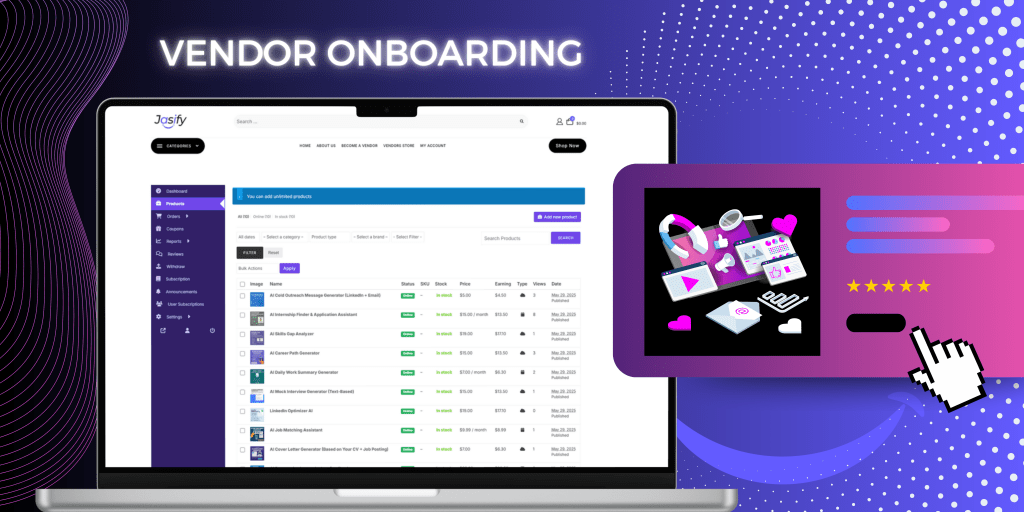
Your Vendor Dashboard functions as the control center where you can add products, manage orders, track sales, and more. - Click “Add New Product”
Start creating your listing by filling in the key details. - Complete your product details
Include a clear title, short and long descriptions, set a price, delivery time, and upload 1–3 visuals. - Choose the right category
Select the category that best fits your AI listing (e.g. AI for Business, AI for Entertainment, AI for Health, etc.). - Submit for review
Once submitted, your listing will be reviewed before going live on the
marketplace. Listings are reviewed within a maximum of 48 hours. If revisions are needed, you’ll get notified by email.
4. How Will You Deliver Your Product?
To make sure every customer gets what they paid for, vendors must complete the appropriate delivery method of the following:
Option 1 – Collect Info with Personalization Fields and deliver product via email
Option 2 – Deliver Access Keys or Invite Links
Option 3 – Upload Digital Files (like PDFs, guides, or templates)
5. Pricing, Commissions & Getting Paid
Jasify is designed to make selling simple, transparent, and fair. Here’s how the vendor pricing model works:
Subscription Fees:
- 60-day free trial for all new vendors
- After 60 days: $50/month to remain listed
- Or: $200/month (Premium) with added benefits
- Vendors who commit yearly receive 25% off their plan
Commissions:
- Standard Plan: 10% commission per sale
- Premium Plan: 5% commission per sale
Payouts:
- Vendors can receive payouts via Stripe or direct bank transfer
- You’ll be prompted to enter your payout details when signing up
- Payments are sent automatically after each completed sale
There are no hidden fees — just one flat monthly or yearly rate, plus a
transparent commission model that scales with your success.
Need Help?
If you have questions or need support getting your store set up, we’re here to help. For any issues related to your listings, dashboard, payments, or setup, contact: support@jasify.com We’ll get back to you as soon as possible with answers and guidance. Our goal is to make your Jasify selling experience smooth, simple, and successful.